How to Choose a Budget DTF Printer Without Compromising Print Quality

12 minutes read                         Share:

Written by PROCOLORED - Published on Aug 2, 2025

7 minutes read     Share:

Written by PROCOLORED - Published on Aug 12, 2024

 Written by PROCOLORED - Published on Aug 12, 2024

Share:

7 minutes read


Table of Contents

2.1 Low-End Range ($300–$700)
2.2 Mid-Range ($700–$1500)
2.3 The Trade-Off Truth
3.1 Print Resolution & Quality
3.2 Integration with RIP Software
3.3 Ink System
3.4 Compatibility of Films and Inks Used
3.5 Support for Print Size
4.1 Choose Sturdy Materials (Metal > Plastic)
4.2 Consider Heating Elements: Integrated vs. External Curing
4.3 Top Budget-Friendly Brands to Consider (2025 Update)
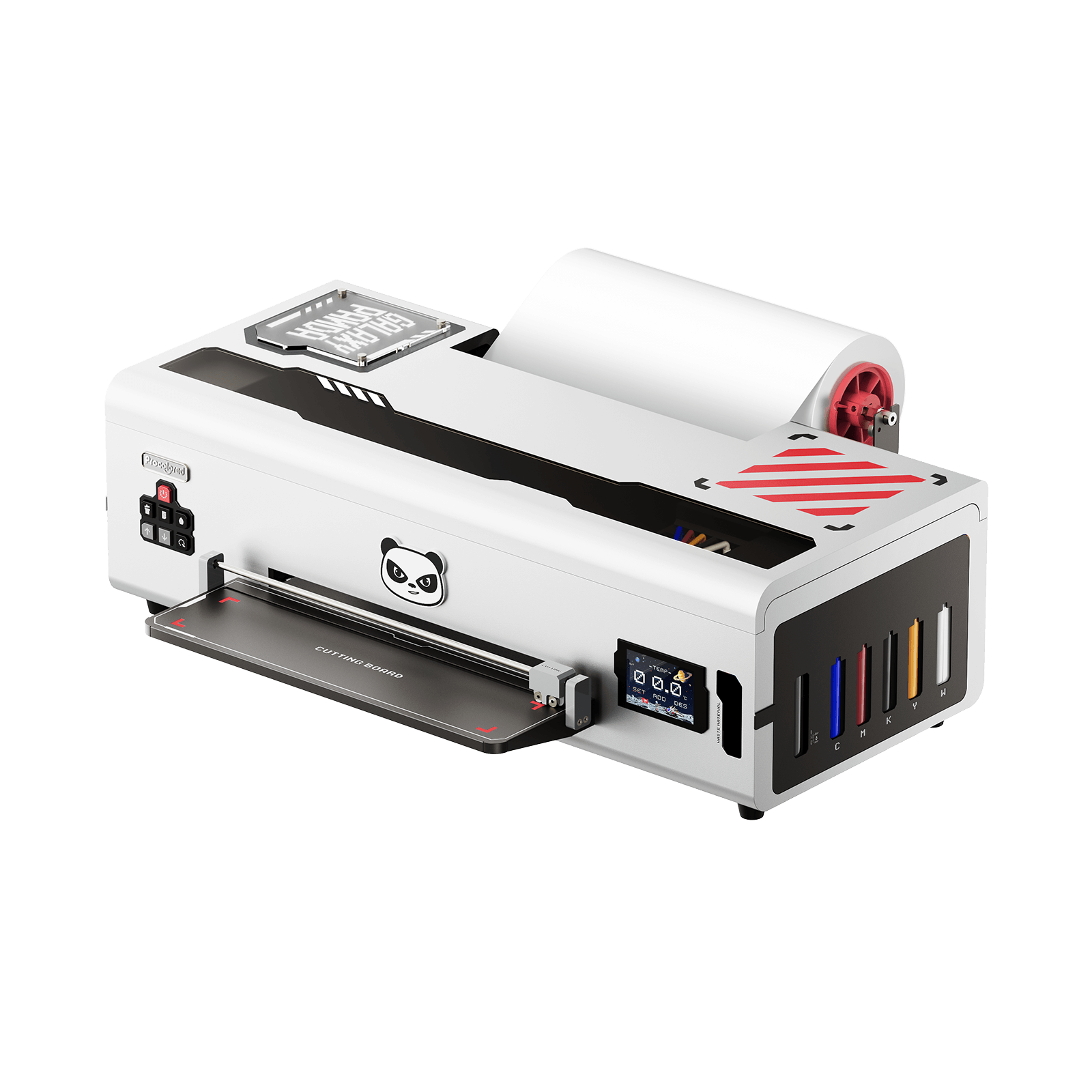
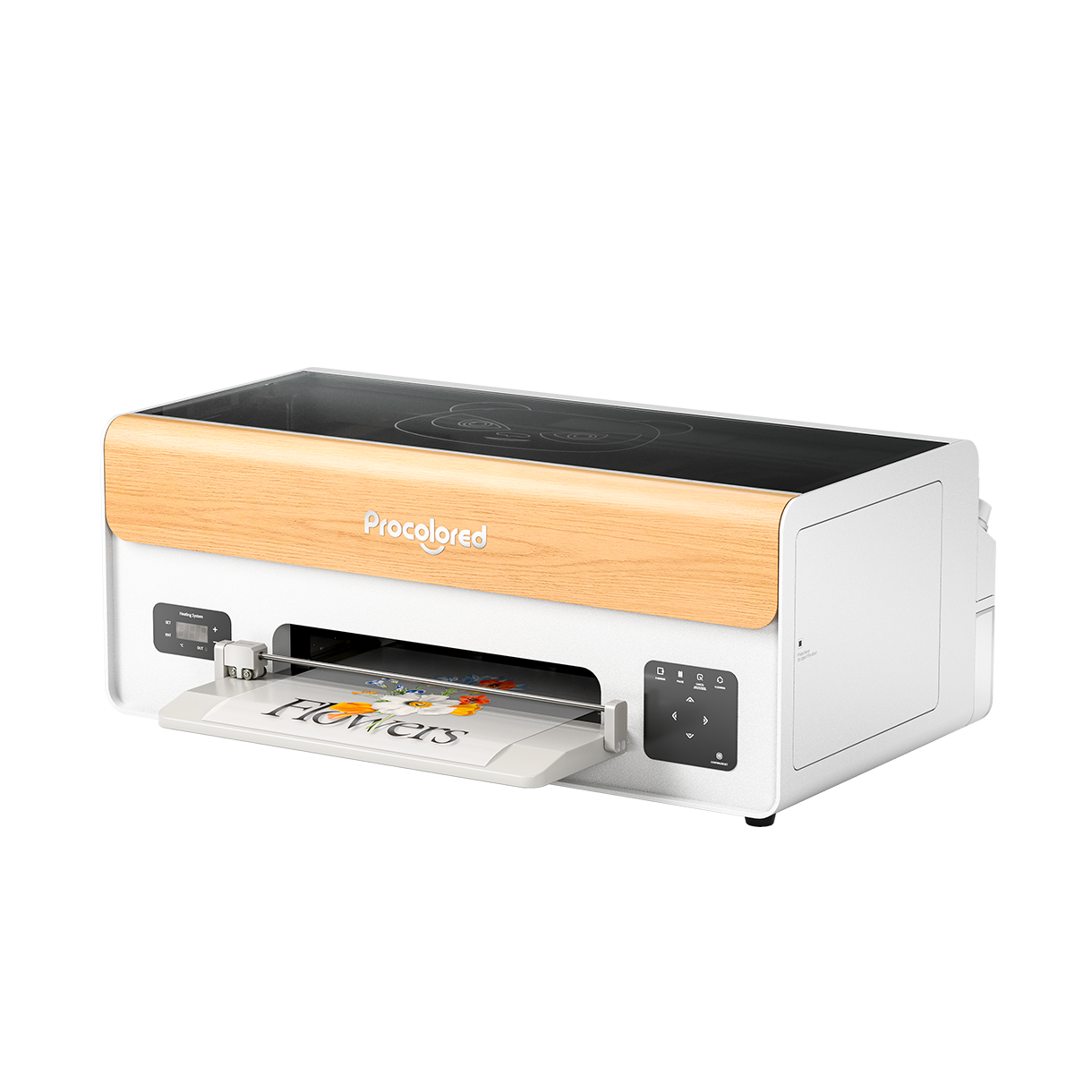
4.4 Procolored - A Standout Budget Option
4.5 L1800 Converted Epson – A Favorite for DIY Enthusiasts
4.6 PUNEHOD A3 DTF – DTF That Offers Excellent Value
5.1 Converted Inkjet Printers
5.2 No Spare Parts Availability
5.3 No support or Documentation
6.1 How Long Does It Take For Customer Support To Respond?
6.2 Is Spare Parts and Ink Available Online or Locally?
6.3 Are There Video Reviews or Demonstrations On YouTube?
7.1 External Powder Shaker and Curing Oven
7.2 Humidity Controlled Storage for Ink and Film
7.3 Standard Nozzle Cleaning Kit
8.1 Always Use Quality Film & Ink
8.2 Make Routine Maintenance a Habit
8.3 Test Before You Go Big


DTF printing is on the rise right now—and honestly it’s easy to see why. Printing out full color designs on just about any fabrics is now possible (yes, even those stubborn dark cotton tees), and the results are astonishing.

If you need merch for an event or want to start a small business and need to create a brand logo, this technology can help you.

But hey, let’s talk about something less exciting: the price tag. If you’ve done a bit of research into DTF printers, you’ve probably noticed that the prices available for them are sky-high. It’s true that the high-end models are nice, but their purchase isn’t usually practical if you’re just starting out, or don’t have a money tree in the backyard.

Keep in mind, achieving great print quality without draining your bank account is possible. The real challenge? Determining what features are truly important—what is worth paying for and what is simply fluff. That’s where we step in.

Whether you are a business owner, a creative person with big dreams, or just someone curious about testing out the DTF machines, we are there for you. We will help you look for a printer that would be cost effective yet still provides quality prints with no needless expenses or stress—just positivity and lovely prints.

What Is a DTF Printer & Why Quality Matters?
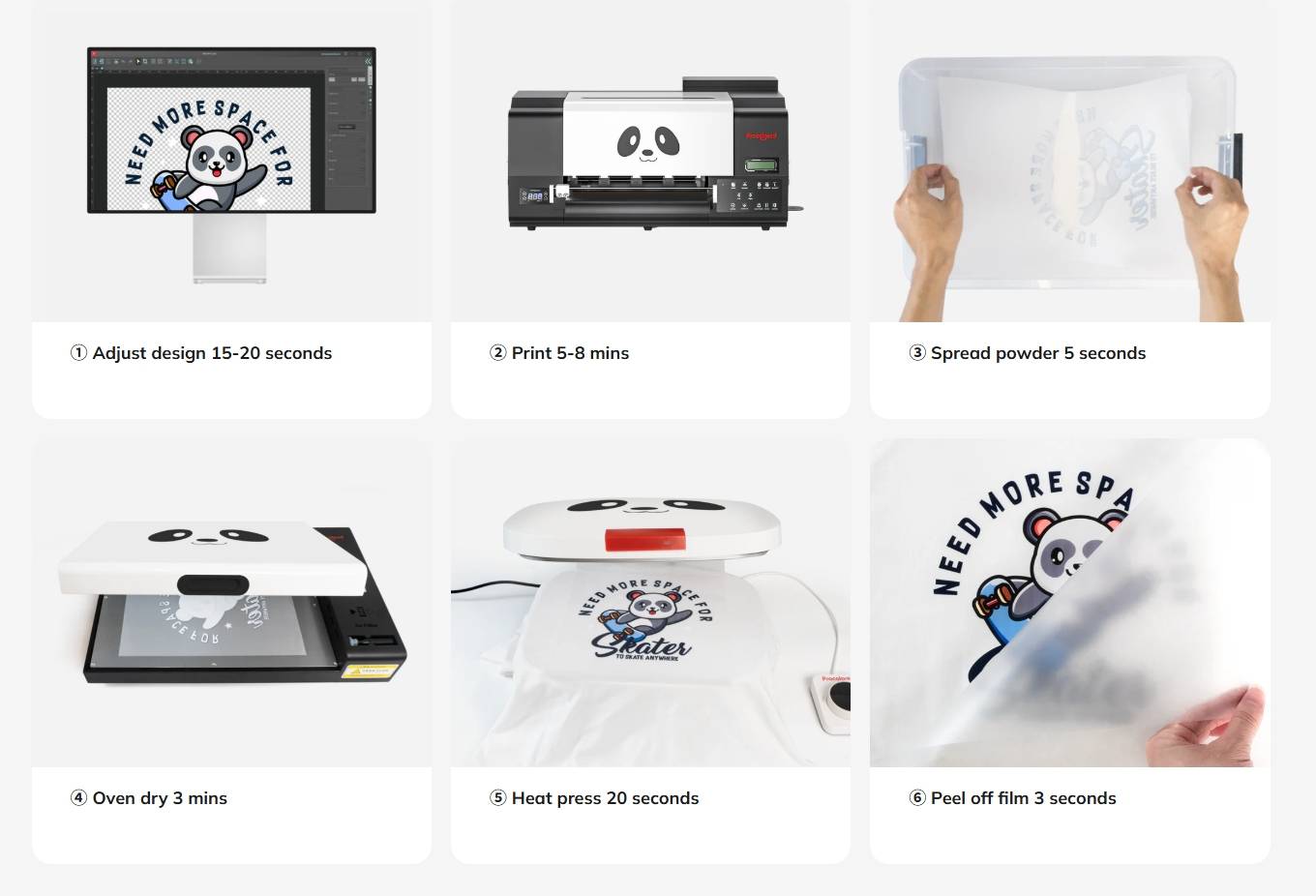
Step-by-step DTF printing process: from digital design to heat-pressed fabric transfer.
Before we dive into how to choose the right budget-friendly DTF printer, let’s quickly break down what DTF printing actually is—and why quality matters more than you might think.

DTF, or Direct-To-Film Printing operates on a similar concept as DTG (Direct-To-Garment) printing but slightly lowers the steps involved in the process. Rather than slapping ink straight onto your shirt, they lay your design down on this special PET film—think of it as a fancy plastic sheet—and use some wild, vibrant inks.

Once that’s done, the magic happens: you toss some adhesive powder on, heat it up a bit, and then press the whole thing onto your fabric. Boom, your art’s on a tee.
The result? Super vivid, flexible prints that adhere seamlessly to cotton, polyester, or even denim.
DTF printing is fairly straightforward – however, the type of DTF machine you decide to work with affects the output quality tremendously.

The best DTF printers produce sharp details, bold colors, and a strong adherence—which allows for the prints to look and feel great and most importantly, survive the test of time. If you want to start a new business selling custom t-shirts or special gifts, or build your own personal brand, quality is the primary attribute to make an unforgettable impression.

On the other hand, poorly designed printers compensate on low-cost machines with issues such as:
● Bleeding ink which causes clean lines to become blurry,
● fade-colored prints after just a handful of washes, and
● clogged nozzles that constantly need cleaning
● Not to mention inconsistent white ink, ruining dark-fabric prints.

That’s why choosing the right printer from the start matters—not just for your sanity, but for your customer satisfaction (and repeat business!).

Set Your Budget Realistically

We know that budget is the most important factor to consider when shopping for a DTF printer. And that's completely understandable! While these machines can be quite expensive, the good news is that there is something for everyone if you know what to expect.

Low-End Range ($300–$700)

This is the starter zone. This range is populated mostly with converted inkjet printers—usually older Epson printers that have been modified to DTF printers. It’s honestly a bit of a hack job, but it works. If you’ve got the patience and the right setup, you can actually get some pretty decent prints out of these things. Perfect if you’re just messing around or starting small.

● Reduce down the print speed
● Up your maintenance level (clogged nozzles are very common)
● Inconsistent white ink output

Mid-Range ($700–$1500)

Now we’re talking about better value for money. This range tends to have more DTF printers that are designed specifically for the purpose, often with the following features:

● Support for A3 sizes
● Dual color and white printheads
● Upgraded ink flow systems
● Professional RIP software compatibility

If you’re thinking about ramping up your side hustle or want a setup that won’t make you want to pull your hair out, this is where you wanna be. You’ll get smoother performance, more consistency, and you won’t have to sell a kidney to afford it.

The Trade-Off Truth

Alright, here’s the real deal: Just because something’s cheaper doesn’t mean it’s automatically junk. You’re probably gonna have to do some manual work—more fiddling, more cleaning, maybe even some wild troubleshooting sessions at 2AM when the thing just won’t cooperate.

However, a low budget DTF printer, if you treat it right, can crank out some legit gorgeous prints with solid ink and film.

So, yeah, keep your expectations in check. With less investment into a printer or equipment, the user can absolutely get a lower priced device, as long as he or she understands the intricacies and workflows that come along with using the device.

Must-Have Features in a Budget DTF Printer

So, you’re set with a fixed budget doesn’t always translate to bad quality for prints. Understanding those crucial features are what matters the most. Here’s what you can look for when buying a DTF printer that performs well without breaking the bank.

A. Print Resolution & Quality

The goal is to have intricate designs with clarity, especially small text or fine lines, around 1440 dpi (dots per inch)-- is always great. The sharper the resolution the better the outcome, giving more professionalism to prints.

Equally crucial is dual CMYK + White channel support. This means your t-shirt printer is capable of applying vivid colors and a solid white underbase, which is necessary while printing on dark or colored fabrics. If your printer does not support white ink properly, your prints might look dull, patchy, or just...off.

B. Integration with RIP Software

This is one aspect which is easily ignored—but don’t. RIP (Raster Image Processor) software, for instance, AcroRIP, is fundamental in governing color management, ink usage, and overall layout efficiency. It is the component that makes your printer smart enough to print white ink, mirror for transfers, and minimizes ink wastage.

Some low-priced printers either do not come with RIP software or worse, only support buggy or obsolete versions. Ensure that your DTF printer either provides a good RIP or can be upgraded to one that is simple to install and operate.

C. Ink System

There are two main types:
● CISS (Continuous Ink Supply System)
● Cartridge-based systems
CISS is widely preferred for DTF printing because it is more economical, simpler to refill, and ideal for bulk work. There is a downside, however. If white ink isn't regularly circulated, it will settle and clog nozzles.

Some budget friendly machines like Procolored DTF printers come with white ink agitators or circulation systems. If your printer doesn’t, then plan on shaking bottles or stirring things up yourself. It could be worse, but it is far from perfect, especially if you do not know it in advance.

D. Compatibility of Films and Inks Used

Great DTF prints don’t only rely on printers; materials also play a major role! Seek printers that allow a variety of PET films as well as third-party DTF inks. This flexibility improves both quality and pricing.

Avoid printers with proprietary films and inks as these will increase your long-term costs and restrict your supplies options during critical times.

E. Support for Print Size

This one is all about your intended work.
● A4 size (8.3" x 11.7") is suitable for left-chest prints, small logos, kids’ shirts, and small transfers.
● A3 size (11.7" x 16.5") offers greater space for.full-front designs, tote bags, and hoodies, among others.

If you aim to sell apparel or expand your line, get an A3 DTF printer from the start. You will save time and avoid frustration later.

Check the Printer Build & Reliability

Alright, let’s get real for a second—if you’re on a budget, build quality usually gets tossed out the window. I mean, who hasn’t gambled on a cheap gadget and ended up with a wobbly disaster?
When it comes to DTF printers, though, skimping on sturdiness is like asking for a headache later. Seriously, do yourself a favor and peek at what the machine is actually made of before you throw down your cash.

Choose Sturdy Materials (Metal > Plastic)

Yeah, it’s obvious that the outside of a printer doesn’t seem like a big deal… until you hear it rattling like a shopping cart halfway through a print job. Cheap printers love to use flimsy plastic. Spoiler: that stuff doesn’t hold up.

If you can, grab something with a metal frame, or at least some reinforced components. It’s not just about “feeling premium”—it’s about keeping your DTF prints sharp and smooth. Metal means less vibration, which means your designs don’t end up looking like they went through an earthquake.

Consider Heating Elements: Integrated vs. External Curing

For DTF printing, the process is not complete once the ink touches the film. The design is required to undergo heating so that the adhesive powder can be appropriately fused to the design. Here is where your setup comes into play:

● Integrated Hot Bed: Some lower-priced printers come with a preset heated print bed that pre-dries ink prior to curing. This is great as it can reduce the overall chances of smudging and make the workflow quicker.
● External Curing (Oven or Heat Press): In the absence of a hot bed, a DTF oven is preferable or you may use a heat press to cure the film separately.

Pro Tip: If you see yourself cranking out more than just a few shirts here and there, get your hand on a curing oven or at least a printer with some heating action built in. Your future self will thank you, trust me.

Top Budget-Friendly Brands to Consider (2025 Update)
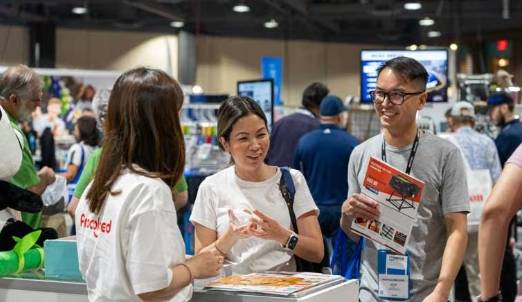
Hunting down decent DTF printers that are budget-friendly can often feel like wandering through a tech jungle. So many choices, half of them look sketchy, and the rest make you question your life choices. Anyway, to save you the headache (and your wallet), Here's some reliable names in the entry-to-midrange segment that offer great value for money.

Below are the leading picks as of 2025, with Procolored DTF Printers earning the crown for best value.

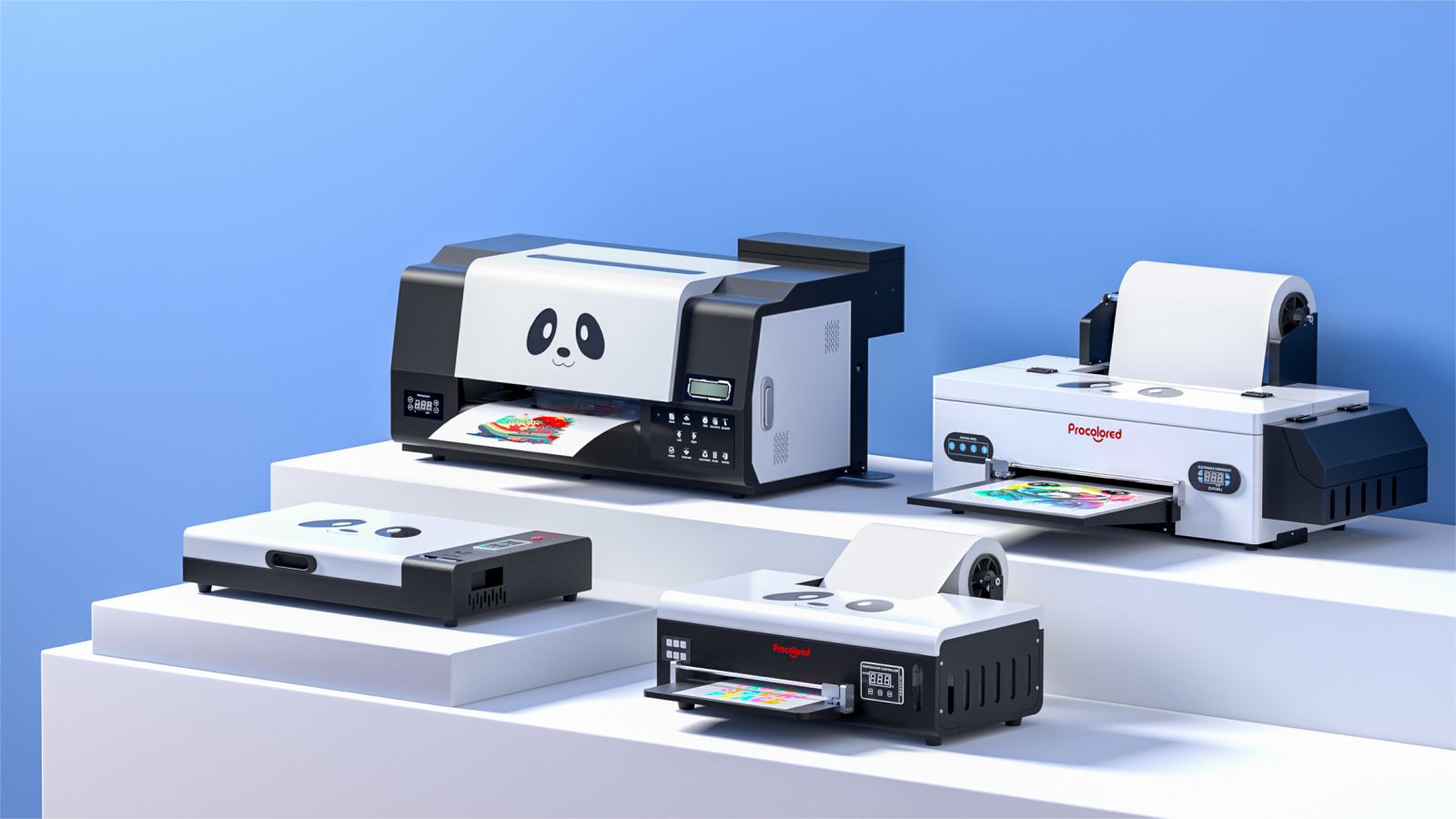
⭐ Procolored - A Standout Budget Option

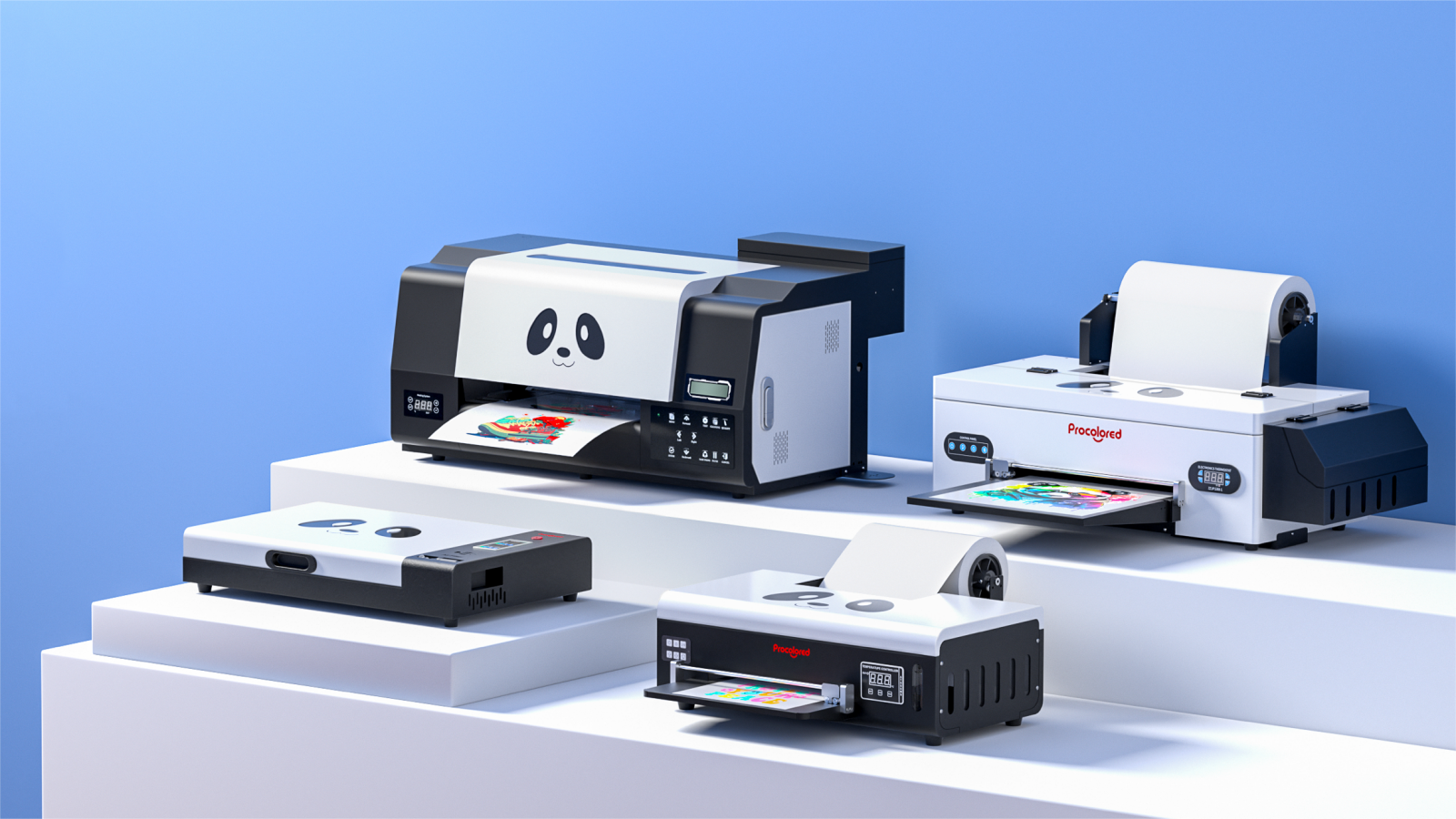
If you're after easy-to-use and high-quality prints, Procolored DTF printers might just be what you need. They've got a solid reputation as one of the go-to options for budget-minded folks looking for DTF printers because they're reliable and consistently deliver great results.

What Procolored Brings to the Table:
✅ They can handle A3 prints—so you get full apparel options, not just tiny patches.
✅ With twin printheads (CMYK + White), you get quicker prints, better colors, and less waiting.
✅ That white ink circulation feature? It's a game changer—no more clogging issues.
✅ Colors really pop, and the whites don’t look dull or faded.
✅ It works well with most software, so you won't be stuck dealing with endless tech support.
✅ Plus, even if you're a total newbie, they’ve got support and YouTube tutorials to help you out.

Honestly, if you’re just starting out, Procolored is not gonna let you down. Solid prints, reasonable price, and you won’t feel like you got scammed. Not much more you can ask for, right?

L1800 Converted Epson – A Favorite for DIY Enthusiasts

If you’re hobbyists and side-hustlers trying to keep costs down but love to experiment with DTF printing , the converted Epson L1800 is basically your choice.

Key points to consider:
● DIY conversion—yep, this thing’s been modified to suit the DTF technology
● Print resolution is good — 5760 x 1440 dpi which is useful for precision work and complex patterns.
● No fancy white ink circulation. So if you’re lazy about maintenance, this printer will absolutely punish you. Frequent servicing is a must.
● Down payment costs are very low, but maintenance costs are irregularly high.
● Community resources—because of the large DIY community, resources such as guides and advice are abundant.

If you want to explore DTF printing, this option provides a low starting cost and flexible learning curve

PUNEHOD A3 DTF – DTF That Offers Excellent Value

The rapidly rising popularity of the PUNEHOD A3 DTF printer is its size, performance and feature— without jumping into premium pricing.

Main points:
● Having an A3 print size offers the ease of managing both large and small transfer work
● Automatic white ink circulation and pre-heating functions boost stability
● The printer has a built-in tank system that reduces waste and simplifies replenishing ink
● Seller support is quick to respond and the customer reviews on AliExpress and other similar sites are good
● Requires a bit more manual setup compared to Procolored, but once dialed in, delivers vibrant and clean results

PUNEHOD is a great mid-tier pick if you're looking for a capable printer with some advanced features, and you're comfortable with a little setup time to get the most out of it.

What to Avoid in Budget Models

Not every budget DTF printer works the same way. Some are surprisingly effective while others persistently drain time and money. If you wish to avoid a budget DTF printer like the plague, here’s what you need to watch out for:

❌ 1. Converted Inkjet Printers

Many low-cost DTF options exist; they are likely converted inkjet printers. While some conversions are decent, others are done with minimal adjustments—especially regarding white ink systems. Without proper white ink agitation or circulation, you’ll deal with clogs, uneven printing, or flaky white ink that ruin the jobs.

Tip: Look for models that have been properly modified for DTF printing and come with dependable white mirror systems.

❌ 2. No Spare Parts Availability

Even the fanciest machine’s gonna throw a tantrum eventually. Maybe the dampers go wonky, maybe the printhead bites the dust—who knows? If the brand you picked doesn’t sell spare parts, you just bought yourself a very expensive gear.

Pro move: Before you throw down your cash, double-check if you can actually get replacement parts online or straight from the seller. Saves you a lot of regret later.

❌ 3. No support or Documentation

Let’s be honest: DTF printing isn’t exactly straightforward. At some point, you’re gonna be scratching your head, probably complaining at the machine.. If your dealer suddenly disappears when you need support or can’t even provide a decent manual, that’s a huge warning sign.
Do you really want to spend your evenings searching for unreliable tips in Facebook groups or digging through YouTube comments? Yeah, you don’t

Best bet: Find a brand or vendor that at least gives you a setup guide, maybe some basic troubleshooting, or a place to ask questions. Even a sloppy manual is better than nothing when you’re knee-deep in mystery error codes.

Questions to Ask Before Buying

Before you hit that “Buy Now” button for DTF printers, it’s smart to slow down and ask yourself some crucial questions first. This saves you from a ton of frustration down the road, and ensures your investment is geared towards an efficient printer.

1. How Long Does It Take For Customer Support To Respond?

Regardless of your budget, errors happen… The real test of the brand is not when things are in perfect working order, it’s in the middle of chaos where things have decided to go south.

● Can you reach the seller or brand easily?
● Do they respond in a reasonable time frame
● Is there a warranty or at least return support?

A printer is only as good as the help you can get when you need it.

2. Is Spare Parts and Ink Available Online or Locally?

Every DTF printer needs some maintenance at some point, and certain components may wear out with time. Before purchasing ensure the following:

● Are spare printheads, dampers, or capping stations available for purchase?
● Are there multiple vendors for compatible inks and film?

Relying on a single obscure vendor for supplies is problematic.

3. Are There Video Reviews or Demonstrations On YouTube?

Make sure to find reviews and evaluation by other users.

● Can you find unboxing and how to set up videos on YouTube?
● Do the commenters talk about consistent quality—or constant issues?
● Is there a Facebook group or other community focused on the printer?

Reviews and videos offer a look into the experience of owning the DTF printer before you spend money on it.

Recommended Add-Ons to Improve Quality

Even the best DTF printers need a lil support to reach their optimal performance level, especially if it’s a budget model. The good news is that there are a few upgrades which can enhance your printing results, as well as the quality and durability of your prints and the efficiency of your daily processes. Here’s a list of such upgrades:

1. External Powder Shaker and Curing Oven
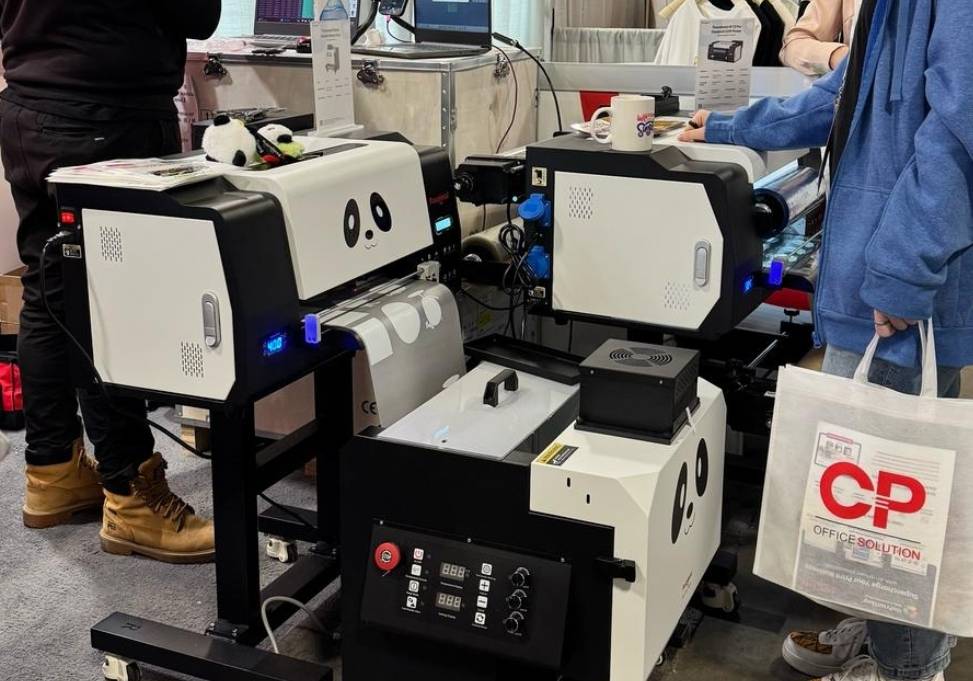
Powder Shaker oven

For those whose DTF printers do not have built-in curers, the external powder shaker and curing oven combo will serve as a game changer.
● The powder shaker automatically dispenses adhesive powder on the printed film without any mess and without the need for sticky fingers.
● The oven cures DTF film efficiently, ensuring the adhesive melts and binds to the ink thoroughly during the curing process.
The added bonus includes professional looking prints with reduced cracking and better consistency across the prints.
As your business gets off the ground and starts to grow, upgrading to a shaker oven can greatly improve your workflow efficiency. It handles both the powder application and the curing process in one streamlined step—saving time and reducing manual effort.

2. Humidity Controlled Storage for Ink and Film

DTF ink and film are sensitive to humidity and temperature. Store them wrong, and you risk clogs, ink separation, or film that just won’t cooperate.

Acquire:
● A sealed container or dry cabinet with silica gel packs
● Store at room temperature (make sure the area is not sunny or humid)

Taking these actions will help in ensuring the longevity of your supplies as well as the quality of your prints.

3. Standard Nozzle Cleaning Kit

Issues with clogged nozzles are a pain with DTF printing, particularly when white ink is involved. A basic nozzle cleaning kit can fix these issues and prevent printer downtimes and maintain print quality.

Look for:
● Cleaning solution made for DTF or pigment ink
● Syringe or flushing devices
● Lint-free swabs or wipes

Integrate cleaning into your weekly routine, and in return, the printer will reward you with smoother, cleaner prints.

Final Tips for Getting the Best Results

Look, you don’t need to drop a fortune to get prints that turn heads. Even a budget DTF printer can pump out stuff that looks straight-up pro—if you don’t cut corners. Wanna nail it? Here’s the two cents:

1. Always Use Quality Film & Ink

Seriously, if you’re dropping bucks on a printer, don’t turn around and grab cheap ink or sketchy PET film. That’s just asking for trouble. Crappy supplies will ruin your colors, jack up adhesion, and generally make your prints sad and short-lived.

Stick with the big-name DTF inks and solid film. Yeah, it stings a bit at checkout, but you’ll be laughing later when you’re not wasting time or cash on do-overs. Happy customers, too. Win-win.

2. Make Routine Maintenance a Habit

Want to avoid clogged nozzles, streaky prints, and early burnout? Then make sure you provide good treatment to your printer.

● Perform routine nozzle checks and cleaning cycles
● Maintain proper agitation and flow of white ink
● Keep everything in a neat and clean environment, devoid of dust

Taking a few minutes to maintain your DTF printer can extend its life by months or even years.

3. Test Before You Go Big

Honestly, before you just mess around with new materials—do yourself a favor and run a few test prints. No one wants to waste a mountain of supplies just to find out the colors look like mud or the ink’s acting weird.

● Adjust the heat, swap out different film types, and don’t just trust your gut—actually see what works. Curing times? Yeah, those matter too.
● Tweak your RIP software till the ideal color is achieved, and the ink balance is on point.
● Experimenting with sample packs can be far more resource-efficient and economical than using full supplies.

This is a perfect way to achieve the best results while minimizing wastage.

Conclusion

Investing in DTF printing does not have to mean draining your savings or opting for unsatisfactory equipment. If you know exactly what you need and prioritize print quality, white ink management, and support, you can still make a smart decision even on a limited budget.

Your equipment must always work with you, rather than against you. This is the very reason brands like Procolored DTF printers become instrumental for businesses. They have beginner-friendly setups, great print quality, and good customer support at price points that are much cheaper than industry standards.

Starting off strongly and systematically building your custom printing setup gives a business the confidence to scale as needed.

Check out Procolored’s budget friendly DTF printers and ensure your imagination receives the quality it deserves without compromising anywhere.

About the Author -  Joyce

Joyce has worked with Procolored since the first day she joined inkjet printing career. Through continual training courses and years of working experiences, Joyce has formed a comprehensive understanding over Procolored products and a thorough knowledge of printing technologies.

About the Author -  Joyce

Joyce has worked with Procolored since the first day she joined inkjet printing career.  Through continual  training courses and years of working experiences, Joyce has formed a comprehensive understanding over Procolored products and a thorough knowledge of printing technologies.

Subscribe

To join our mailing list 

and never miss our updates!

Most Popular Blogs

Which Procolored DTF Printer Should You Get?

8 minutes read                    Share:

Subscribe

To join our mailing list 

and never miss a baby update!

Subscribe

To join our mailing list 

and never miss a baby update!

Subscribe

To join our mailing list 

and never miss our updates!

Most Popular Blogs
Procolored Product Support Library
Which Procolored DTF Printer Should You Get?