How to Fix DTF Transfer Cracking 

Or Flaking After Washing?

12 minutes read                         Share:

Written by PROCOLORED - Published on Aug 11, 2025

7 minutes read     Share:

Written by PROCOLORED - Published on Aug 12, 2024

 Written by PROCOLORED - Published on Aug 12, 2024

Share:

7 minutes read


Table of Contents

A. How DTF Transfers Work (Simplified)
B. Why Cracking or Flaking Happens
2.1 Incorrect Curing Temperature or Time
2.2 Poor Ink Quality or Flow
2.3 Low-Grade or Overused PET Film
2.4 Bad Adhesive Powder Application
2.5 Poor Pressure or Uneven Heat Application
2.6 Incompatible fabrics
2.7 Low-Quality Printer Heads or Other Mechanical Issues
A Nail the Temperature & Time
B Don’t Skimp on Film & Powder
C Apply Powder Evenly
D Pre-Press Your Fabric
E Use a Solid Heat Press
A Heating it with Butcher Paper
B Try Double-Press Method
C Swap Out Your Film Or Powder


Ever spent hours crafting the perfect design, printed it out all carefully, pressed it like you know what you’re doing… and then after a couple washes, you watch it cracking or peeling. Ugh. We’ve all been there..

And If you’re hustling with a side gig, selling custom shirts, or just making cool stuff for yourself, watching your masterpiece falling apart is always heartbreaking..

But don’t start to blame yourself. Oftentimes, the culprit is your equipment, not your skills.
Perhaps your heat press was off, or your DTF transfer film was substandard, or your DTF printer just decided to skip on the ink. All those tiny details can have a big impact on how your print bonds with the fabric.

So, "If your DTF prints are peeling faster than your stickers, don’t beat yourself up. Sometimes it’s not you, it’s your gear.”

That’s why machines like Procolored DTF printers are such game changers. They’re all about consistency, crisp prints, and actually surviving the washing machine (imagine that).

So, let’s break down what’s making your DTF prints flake out—and more importantly, how to fix it, so your shirts stay looking fresh.

The Science Behind DTF Transfer Durability

Alright, before we get all in fixing those cracked or flaky DTF prints, let’s just pause and actually talk about how DTF printing works and what needs to go right for your transfer to last.

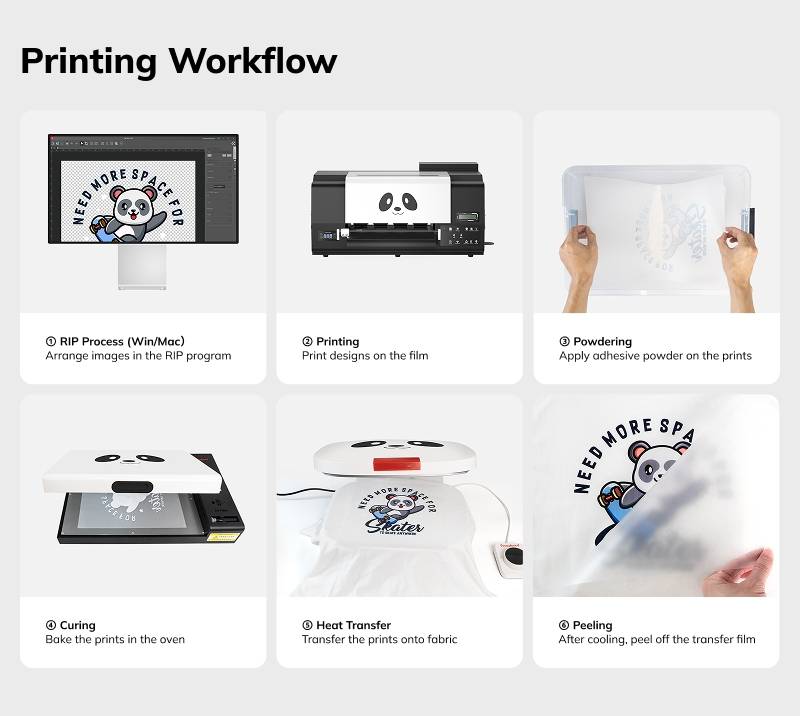
A. How DTF Transfers Work (Simplified)

DTF transfer process steps

So, DTF (Direct-to-Film)—it’s kinda like a layered design that is glued to fabric and stays there. Here’s how it works.

● First, you take this special PET film and hit your design on it.
● Next, your DTF printer drops down some colored ink, then covers it with white ink
● While that ink’s still wet, you sprinkle on this magic powder (hot melt adhesive).
● Then, you heat it up so the powder basically melts and fuses to the ink.
● Last step: press the whole thing onto your shirt with a heat press. Boom, design is stuck like glue. (Literally.)

If you set everything up right—the timing, ink, powder, heat, pressure—you get super bright, super durable prints. But, you mess up even one part? That’s total chaos. That’s when stuff starts to peel or crack, and you’re stuck wondering what went sideways.

B. Why Cracking or Flaking Happens

Let's look at some of the more common reasons why DTF prints may be cracking or flaking after a wash.

● Heat Settings And Curing Done Improperly.
If the temperature is not hot enough, the adhesive will not bond properly, but too hot will make the ink brittle.

● Adhesive Powder And Ink Of Poor Quality
An ink of poor quality may not endure the washing process. Moreover, an inexpensive powder will not bond well to the fabric.

● The Corresponding Types Of Fabric
Although a DTF works with a variety of materials, not every fabric blend works well together. Certain fabrics that are smooth or are water-repellent may diminish adhesive strength.
● Weak Pressure Or Uneven Ink
The transfers will not melt and seal uniformly if the heat press is not giving the required force or if it has cold spots, resulting in peeling around the edges or center.
Basically, a lot of these micro issues that may seem trivial or unrelated can create a huge problem. The bright side is that after fully understanding the issues and processes, there are ways to solve and modify the equipment, resulting in an improved durability and quality. This is precisely what we’re about to get into.

Top 7 Reasons Your DTF Prints Are Cracking or Flaking

Now that you’ve created the design, aced the DTF print, and pressed it like a pro… then the first wash hits and your masterpiece self-destructs in the spin cycle.

Before cursing DTF printing forever, let’s examine the true problems. Prints failing is almost always a series of interlinked small oversights. Here are the seven common issues along with their solutions:

1. Incorrect Curing Temperature or Time

Curing is like baking– not enough and too much both ruin the recipe.
● Under curing leads to fragile bonds that are incapable of holding.
● Overcuring can make the ink brittle and prone to cracking.

✔15-20 second intervals of 160-170 degree temp is the industry standard recommendation.

2. Poor Ink Quality or Flow

It’s true that not all ink is the same.
● Cheap and watery low-quality ink leads to fading, cracking, and weak adhesion.

✔Invest in DTF-specific, high viscosity inks. They are designed to smoothly and strongly adhere to the surface.

3. Low-Grade or Overused PET Film

● Old or lower quality film negatively affects the adhesive’s quality, and as a result, the ink's ability to adhere firmly to the fabric.

✔Make a habit of replacing the PET films and use cold-peel or matte films that have consistent coating.

4. Bad Adhesive Powder Application

That layer of powder is necessary to allow adhesion of the ink.
● Applying powder too thick or too thin is problematic – it either renders no or inadequate adhesion to your fabric.

✔Coat your film uniformly and deduct the excess to achieve the best and most even coverage. For bulk orders, you can utilize a shaker oven for uniformity.

5. Poor Pressure or Uneven Heat Application

Weak and inconsistent adhesion is usually a result of poor pressure.
● Low-end or old heat presses usually apply pressure in a non-uniform manner.

✔Ensure that your press can achieve high, uniform pressure over the entire surface while avoiding cold spots.

6. Incompatible fabrics

There are many fabrics for which DTF is suitable, but not all.
● Materials with a “3D” surface texture, stretchable, or those that repel water often provide poor bonding.

✔New types of fabric should always be tested, and a pre-press should be done to smooth the fabric and eliminate moisture.

7. Low-Quality Printer Heads or Other Mechanical Issues

Your entire print will be impacted negatively if your DTF printer is not properly laying down ink.
● Inaccurate droplet placement will result in a weak and blotched design.

✔Your printer should be properly maintained and the quality of hardware purchased should be high, especially if you are in business.

How to Prevent Cracks: Pro Tips That Actually Work

Dealing with cracked DTF prints is always an annoying issue, but with the right approach, you can avoid them altogether. To help you maintain the quality and durability of DTF transfers, a few pointers will help.

A. Nail the Temperature & Time

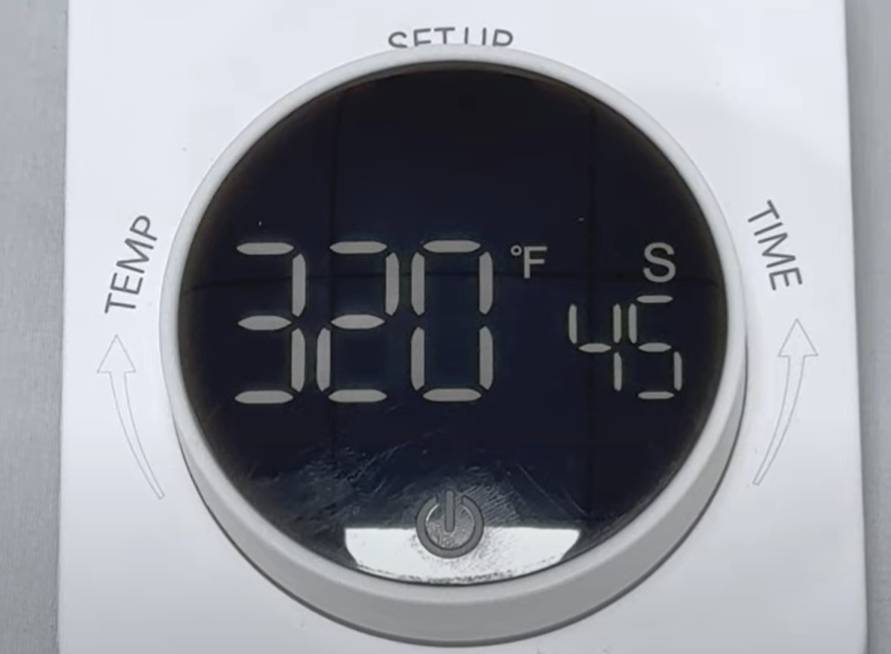
Heat press set to 160°C for optimal DTF transfer curing

Your heat press settings matter greatly. If the press is too cold, then the adhesive is not going to melt. On the other hand, if the press is too hot, then the ink could get extremely brittle.

● Your sweet spot can be anywhere between “160 – 170 degrees Celsius for 15 – 20 seconds.
● Use heat guns or infrared thermometers to double check if your press is actually hitting the intended temperatures. You would be surprised to see how many presses actually don’t meet the advertised standards.

B. Don’t Skimp on Film & Powder

If your film is too thin, or if your powder is not sticking properly, you are bound to face challenges. These will definitely lead to cheap and sub-par outputs.

● Stick with cold peel film or matte film that possess a strong adhesive backing for the best results.
● Make sure to store your adhesive powder in a cool place to prevent it from going stale.
● Always shake your powder prior to using it to ensure that it does not have clumps which could lead to uneven coating.

C. Apply Powder Evenly

Make sure to not mess this step up. Patchy adhesion is a common byproduct of uneven coating and could lead to flaking down the line.

● For hobbyists: You can sprinkle the powder on and gently tap off the excess.
● For businesses: With a shaker oven, a ton of time can be saved and gives way more consistency.

D. Pre-Press Your Fabric

This is an easy task. A quick 3–5 second pre-press of the fabric helps in the following ways:

● Eliminates moisture from the fabric
● Smoothes the upper layer for better contact

This small step really improves how well DTF transfers stick.

E. Use a Solid Heat Press


Even though this is the most basic equipment, you would be surprised at just how many people overlook this. The heat press should be able to exert a uniform load, consistent heat, and even pressure.

● Uneven Heat: Portions of your print will not cure properly.
● Weak Pressure: the transfer won’t bond properly

If your press is giving you cold spots or odd edges, it’s time to recalibrate.

Why Procolored DTF Printers Make All the Difference

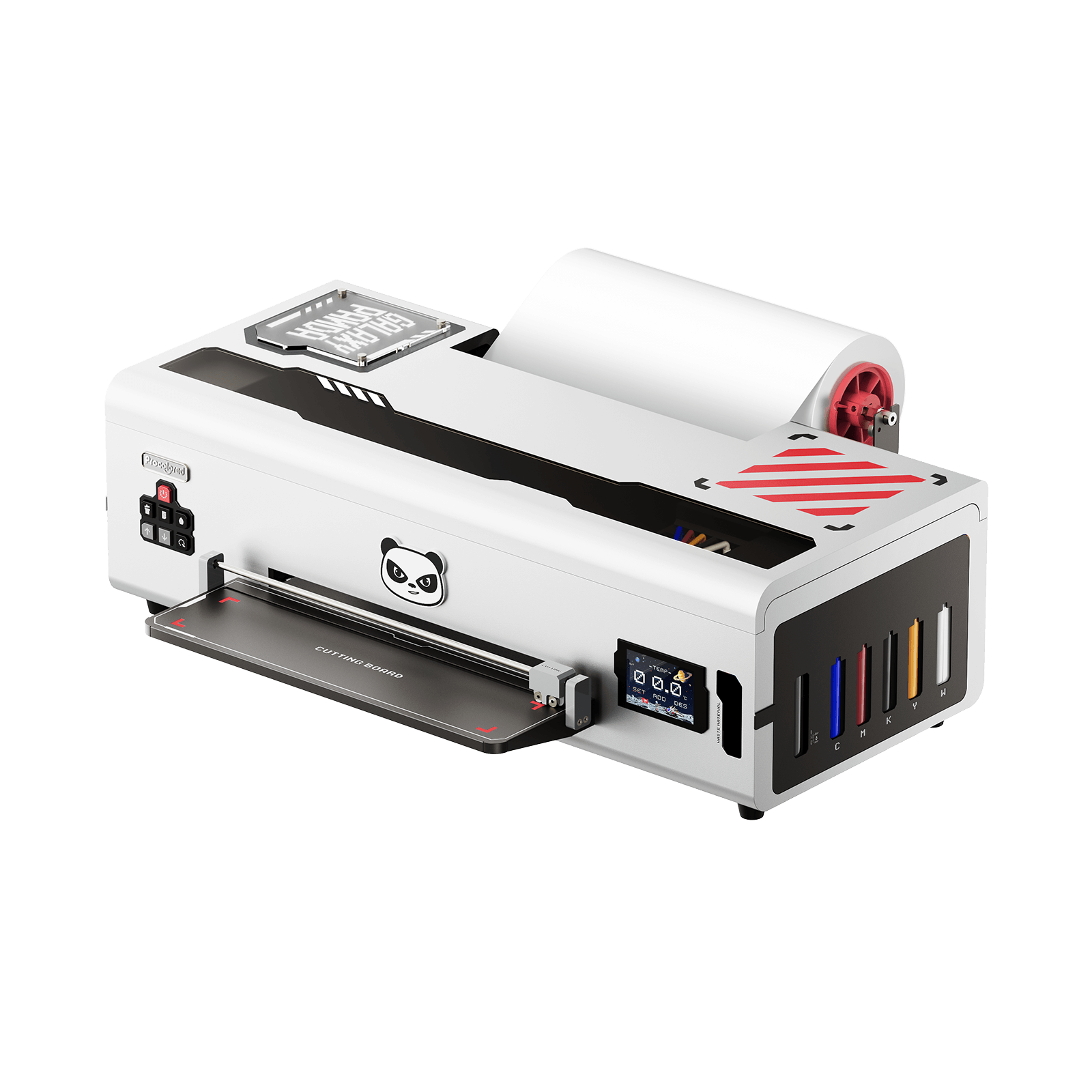
If you’re tired with cracked prints, peel edges, or color that fade after a single wash, it probably might not be the technique you are using, it can be your printer. In that case, Procolored DTF Printers are the solution. These machines are built to tackle the pain points most creators run into, thus making your DTF prints vibrant, clean, and durable.

Here’s how Procolored makes that possible

✔Nano-Level Ink Placement
Procolored DTF Printers achieve accurate dot placement of ink. As a result, there will be:

● No patchy areas
● Superior powder adhesion
● A stronger bond between the ink and fabric

Consistent layering leads to prints that can flex instead of crack.

✔White Ink Circulation
Managing white ink can be a nightmare, and can often lead to unforgiving challenges, if you’re not careful. Procolored solves this issue with a smart white ink built in circulation sniper.

No clogs = full color coverage

✔Anti Collision Print Heads
Procolored Anti Collision Print Heads eliminate the occurrence of smears and head strikes which makes a print perfect in any way imaginable. This print head cannot strike or collide, and the movement is smooth while keeping sharp prints and accurate transfers.

Flawless movement = flawless prints.

✔ffective Management of Temperature
Maintaining consistent temperature is very important. Procolored curing ovens and Procolored dryers are designed to hold powder curing and melting temperatures steady from start to finish.

✔Plug-and-Play Setup
New to DTF printing? No worries, Procolored has a user friendly interface, making both setup and printing stress-free.

● Little to no calibration needed
● Simple software setup
● Guided procedures for quick setup

Less experimentation = more polished and professional prints.

With Procolored, you’re not just buying a printer—you’re investing in quality control.

Troubleshooting: Fixing Prints That Are Already Cracked

So, your DTF Print has already cracked and you are asking yourself, what should I do now? Don’t freak out and toss it in the trash just yet, though. Sometimes it’s not a total lost cause.

Depending on how bad the damage is, you might actually save the thing. Here’s some quick stuff you can try:

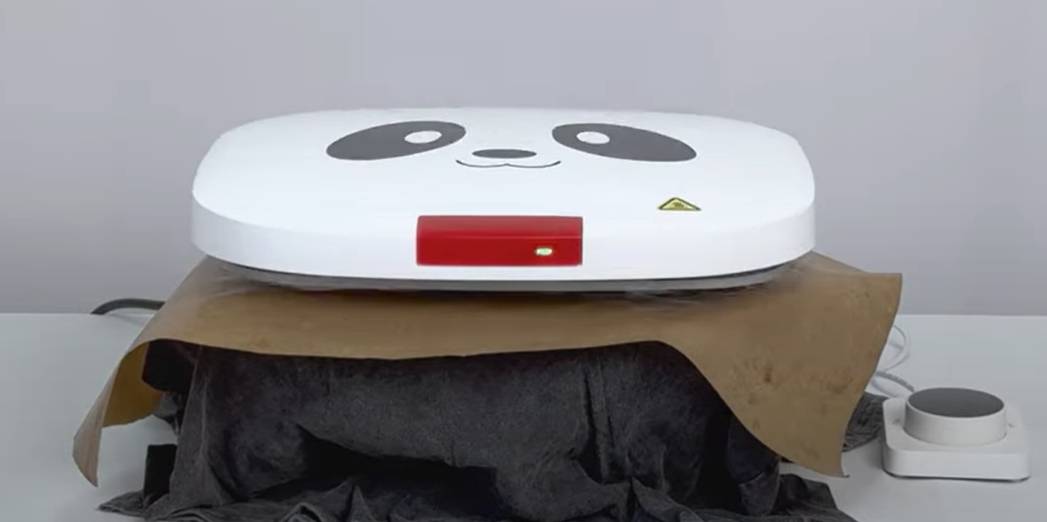
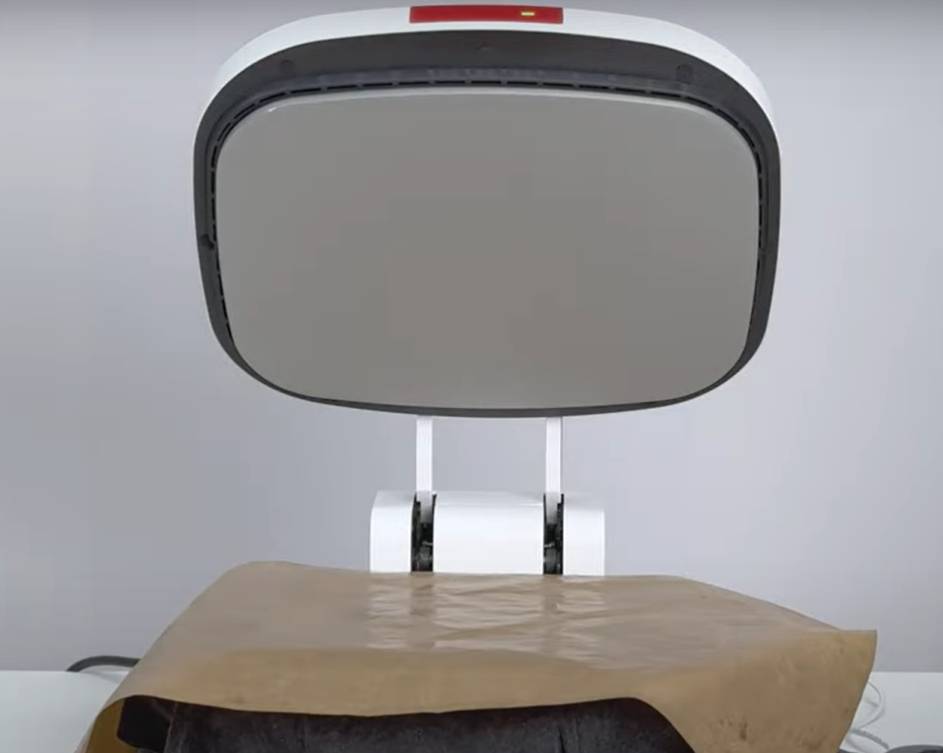
A. Heating it with Butcher Paper

Heating it with Butcher Paper

If the cracking is light and mostly on the surface, you can sometimes fix the issue by smoothing it with a reheat.

● Place the butcher paper or parchment paper over the design.
● Using your heat press, apply a medium amount of pressure for 5 to 8 seconds.

This helps in softening the ink and adhesive just enough to reseal micro-cracks and some balance of the flexibility is restored.

✅ Pro Tip: Don’t overdo it, putting in too much heat can damage things too.

B. Try Double-Press Method

This is a handy trick, especially when your DTF prints get to peel at the edges.

● Carry out the first press and do it as you always do.
● Remove the film.
● Now, do your second press but place butcher paper on top this time.

Adding a second press helps in securing the design onto the fabric and the print is able to withstand the wear and tear as well as be resistant with machine washing.

C. Swap Out Your Film Or Powder

If you’re still getting those annoying cracks even after fiddling with your settings, maybe it’s not you—it’s your materials acting up.

● Is your film too old, or thin stuff?
● Is your powder gone all clumpy and uneven..
● Are you actually keeping them in a cool, dry spot?

Grab a new batch, or try a different brand of film or powder. See if things improve. Sometimes it’s not your press, not your printer—just the stuff you’re putting in there causing all the drama.

✅ Quick heads-up: Folks using Procolored best DTF printers swear that using the good stuff (high-quality film and powder that actually match your ink) makes a world of difference. Consistent materials = way fewer headaches.

Care Instructions for Long-Lasting DTF Prints

Achieving quality DTF prints is one thing, but keeping it looking fresh is a different type of battle. Even the highest quality prints will fade or crack if proper measures are not put in place.
Make sure to follow these tips to maintain the quality of your DTF printing.

● Turn Garments Inside Out
Washing shirts or garments is not a very hard task if done in a proper way. When the garment is taken off and put in a laundry basket, make sure to turn it inside out. This will prevent the DTF print from rubbing against other shirts, zippers, or the drum of the washing machine.

● Wash with Cold Water and Mild Detergent
Heat can be tough on DTF transfer so make sure to avoid hot water at all costs. Cold water retains the adhesive and ink layers together, making it the ideal temperature. Use a mild, color-safe detergent in case of rubbing or released ink, as harsher detergents will wear down the print.

● Avoid Bleach and Fabric Softeners
Bleach is basically your shirt’s worst enemy. It doesn’t just wreck the fabric—it breaks down the ink too. Softener on the other hand, weakens the glue used in DTF prints, making the garment not only prone to wear out, but making sure it will also be useless.

● Tumble Dry on Low Heat or Air Dry
Using high heat in the dryer can result in the gradual shrinking, cracking, or peeling of your prints. Your best option is to hang dry your items. If time is of the essence, a low-heat tumble dry setting can work, but it still needs to be gentler compared to the standard setting.

Final Thoughts

Ultimately, cracked and flaking DTF prints aren’t only annoying, but they can really mess with your business and your confidence. But when you have the right care, techniques, and tools that actually do their job, your designs can last a long time.

From dialing in heat settings to selecting good-quality film, yeah all that little stuff adds up.. And If you have checked all these boxes, and still face print issues, then perhaps your equipment requires a more thorough inspection.

With a dependable setup like those from Procolored, you don’t have to worry about the difference between prints that peel and prints that wow; Procolored has you covered.

Want to take your DTF to the next level? Visit Procolored DTF printers and find out how their professional equipment can enhance your prints and make them last through multiple washes.

About the Author -  Joyce

Joyce has worked with Procolored since the first day she joined inkjet printing career. Through continual training courses and years of working experiences, Joyce has formed a comprehensive understanding over Procolored products and a thorough knowledge of printing technologies.

About the Author -  Joyce

Joyce has worked with Procolored since the first day she joined inkjet printing career.  Through continual  training courses and years of working experiences, Joyce has formed a comprehensive understanding over Procolored products and a thorough knowledge of printing technologies.

Subscribe

To join our mailing list 

and never miss our updates!


Most Popular Blogs

Which Procolored DTF Printer Should You Get?

8 minutes read                    Share:

Subscribe

To join our mailing list 

and never miss a baby update!

Subscribe

To join our mailing list 

and never miss a baby update!

Subscribe

To join our mailing list 

and never miss our updates!

Most Popular Blogs

Procolored Product Support Library
Which Procolored DTF Printer Should You Get?